How Much Does a Business Network Installation Cost in Austin?
A practical cost breakdown for Austin small business owners considering a professional commercial network installation: what drives the price, why consumer gear fails in a business setting, and what a properly managed network actually costs.
The short answer
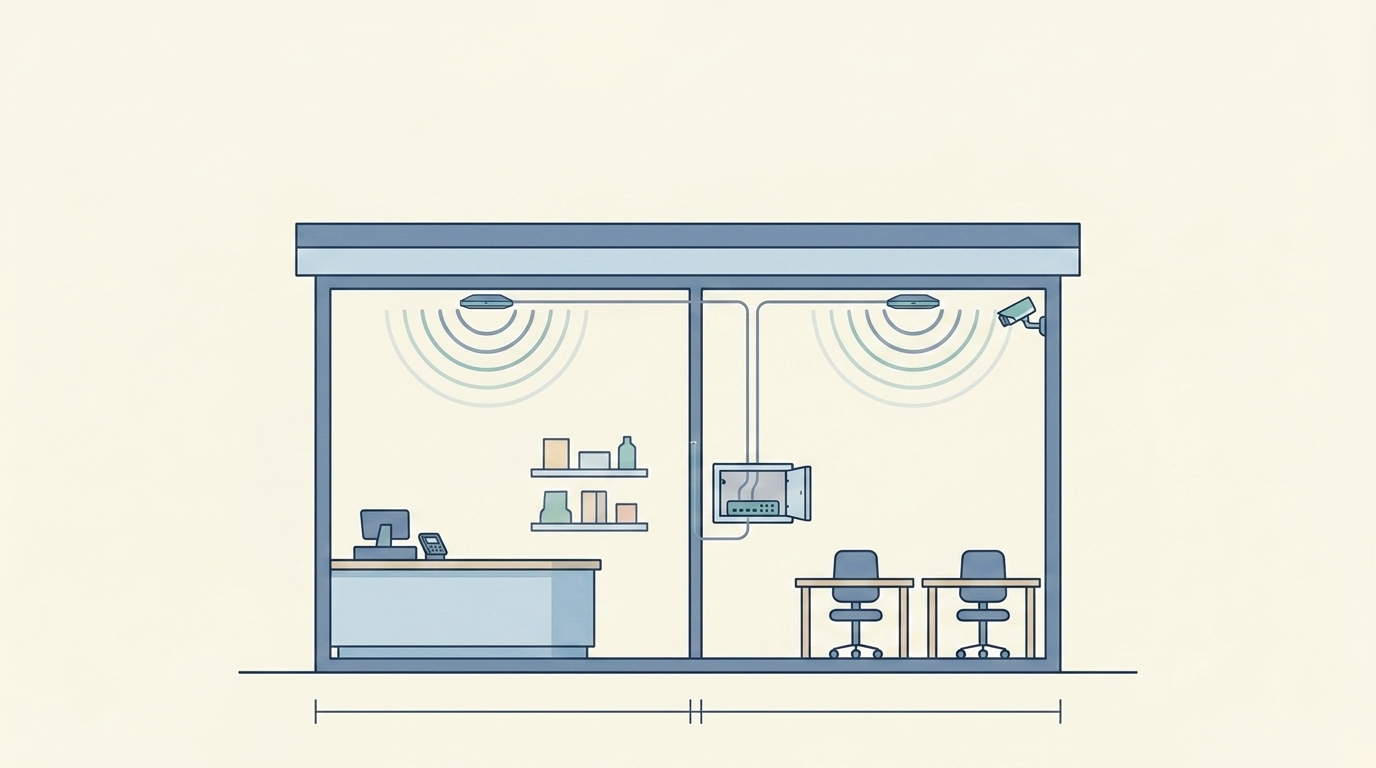
Professional commercial network installation in Austin starts at the same $2.10 per square foot floor as a residential installation, but commercial scope typically runs higher because of what a business network actually has to do: segment staff and guest traffic, support a high density of concurrent devices, integrate with POS or security camera systems, and stay up during business hours without someone on your team babysitting it.
A 2,000-square-foot office or retail space with moderate complexity typically falls between $5,500 and $9,000, depending on structural conditions, the number of separate network segments needed, and whether camera or structured cabling is in scope. A larger or more complex space (multi-floor, concrete construction, high device count) will cost more.
What you are paying for is not hardware. It is a network designed for how your business actually operates.
Why consumer gear fails in a business setting
This is the conversation most business owners have after the fact, once the problems are already happening.
Coverage falls short immediately. A standard ISP router reliably serves around 750 square feet. A consumer mesh system does better, but it uses wireless backhaul (nodes talking to each other over WiFi) which cuts available bandwidth at every hop. In a 2,000-square-foot retail space or a 1,500-square-foot office with a dozen employees, you are already beyond what consumer hardware handles well.
There is no network separation. A business needs at least two networks: one for staff and internal systems (POS, inventory, back-office), and one for customers or guests. Running everything on a single network means a customer's phone shares bandwidth and visibility with your point-of-sale system. Consumer routers offer a basic guest network option, but it is not the same as proper VLAN segmentation, the kind that actually isolates traffic and protects business data.
There is no management visibility. When a consumer system has a problem, you find out when someone complains. A properly managed business network has proactive monitoring: alerts when a device goes offline, logs when the ISP drops out, and a support contact who can often resolve the issue before you knew it existed.
High device density exposes the limits fast. A small office with fifteen employees, their phones, their laptops, a few smart TVs in a conference room, a handful of IoT devices, and a guest network for clients can easily have 40 to 60 connected devices at once. Consumer gear is not rated for that load. Performance degrades, connections drop, and latency climbs, all in ways that are hard to diagnose without proper network tools.
- Wireless backhaul loses bandwidth at every hop
- One flat network, no real VLAN separation
- No monitoring; you learn from complaints
- Struggles past roughly 40 to 60 devices
- Wired UniFi backbone, no backhaul penalty
- Segmented VLANs for staff, guest, POS, and IoT
- Proactive monitoring with offline and outage alerts
- Built for high concurrent device density
What drives the cost for commercial installations
Commercial WiFi pricing is more scope-dependent than residential because businesses vary more in what they actually need. Five factors move the number most.
Square footage remains the baseline, as it does in residential work. More space requires more access points, more cabling runs, and more on-site time.
Construction type matters more in commercial than residential. Concrete walls, steel framing, open warehouse ceilings, and glass partitions all affect signal propagation differently, and all affect how cable is run and where access points have to be placed. A standard office build-out is relatively straightforward. A restaurant kitchen with steel equipment, a medical clinic with lead-lined walls, or a retail space in an older building with brick and plaster adds engineering complexity.
Device count and network segments directly affect how the network is designed. A business that needs separate VLANs for staff, guest, POS, and IoT devices requires more thought in the design phase and more configuration time on install day. Each segment has to be built correctly to protect the others.
PoE security cameras are a common add to commercial installs. Each camera runs on a single Cat6 cable that carries both power and data, the same infrastructure backbone as the WiFi access points. Scoping cameras alongside the network install is almost always more cost-effective than doing them separately.
Structured cabling is the physical backbone that makes everything else work reliably. In a commercial space that has never been wired for a distributed network, running Cat6 to every access point location, every camera, and every key workstation is a significant part of the installation scope. The labor here is real, and skipping it means a wireless network that degrades faster and is harder to expand.
Cost-per-employee and cost-per-day framing
The per-square-foot figure is useful for sizing a project. A different lens is more useful for deciding whether to invest.
A 10-person office paying $7,000 for a professional network installation is spending $700 per employee. Amortized over five years, that is $140 per employee per year, or about $11.50 per employee per month.
Now compare that to what a single day of network downtime actually costs. If your employees cannot work, or can only work at reduced capacity, because WiFi is down or performing poorly, the cost in lost productivity for a 10-person team clears that monthly figure in hours, not days. If your POS system is on the same shaky network, that downtime is also lost revenue, not just lost time.
A professionally installed and managed business network is infrastructure, the same category as your lease and your phone system. The useful question is not whether you can afford it. It is whether you can afford the version that fails.
Austin commercial spaces: what we see in the field
Businesses across Greater Austin run into the same patterns.
SoCo retail and restaurant spaces tend to be older builds with irregular layouts, exposed brick, and ceiling heights that make cable runs less straightforward than they look on a floor plan. Guest WiFi for customers is table stakes in these environments, and POS reliability is non-negotiable.
The Domain and North Austin office parks are newer construction but often delivered without a structured cabling backbone configured for distributed WiFi. A tenant finish-out is the ideal time to get the network infrastructure in before walls close.
Cedar Park and Round Rock small businesses are frequently in newer strip centers and commercial buildings that were built for ISP drop service, not enterprise-grade distributed networks. The bones are clean, which makes installation straightforward, but the infrastructure was never there to begin with.
Medical offices and clinics carry additional complexity: HIPAA-appropriate network segmentation, dedicated bandwidth for connected medical devices, and absolutely no tolerance for guest traffic bleeding onto clinical systems. This is an environment where the design phase matters as much as the installation.
In every case, the starting point is the same: a site walkthrough before any hardware is purchased, a coverage design based on the actual layout and use case, and a quote that reflects what the space actually needs.
What a commercial installation includes
A WiFi Wizards commercial installation covers the full scope:
- Site walkthrough and coverage design before any hardware is ordered
- Enterprise-grade Ubiquiti UniFi access points, the same platform used by hospitals, universities, and Fortune 500 companies
- Structured Cat6 cabling run to every access point, camera, and key location
- Managed switches and routing configured for your specific network segments
- VLAN configuration for staff, guest, IoT, and any other required segments
- Access point placement based on your actual floor plan, device load, and usage zones
- Full walk-through testing after installation to confirm coverage and performance
- 90-day premium support, one-year labor warranty, and two-year hardware warranty on every install
- Performance guarantee: if the network does not materially improve performance, the labor cost is refunded
What ongoing support costs
Residential clients can often live with a network issue for a day or two while it gets sorted. Businesses cannot.
After installation, you have two directions for ongoing support, depending on how demanding your environment is.
WizardPrime+ plans cover the fundamentals: 24/7 monitoring, firmware and security patch management, ISP outage detection, and priority remote support. Three tiers are available at $99, $199, and $299 per month, with increasing response times, reporting frequency, and on-site visit coverage. All plans are month-to-month with no long-term contract required.
For most small businesses (a retail location, a small office, a clinic) WizardPrime+ is the right fit. The network is looked after, problems are caught before they become complaints, and you are not hiring an IT person to manage it.
When you need full managed services
Some businesses need more than monitoring and patch management. Multi-location operations, high-uptime environments, businesses with complex segmentation requirements, or organizations that need a dedicated engineer on call operate at a different standard.
Our managed services offering covers everything in WizardPrime+, plus proactive network design reviews, dedicated engineering support, customized SLAs, and a hands-on relationship with your network as your business evolves.
Managed services are scoped individually, because the environments vary and there is no one-size pricing. If you are running a network where downtime has an immediate revenue or compliance impact, this is the conversation to have.
The bottom line
Commercial WiFi installation in Austin starts at $2.10 per square foot as a floor, with total cost shaped by your square footage, construction type, device count, network complexity, and whether cameras or structured cabling are in scope. Most small business installations in the Austin metro fall between $5,500 and $12,000 all in, with managed support layered on top for businesses that need the network treated as a utility.
The more useful lens than upfront cost is what it costs to operate on a network that is not built for what you are doing. That number is usually higher, it just shows up differently: in slow afternoons, in dropped calls, in the IT time your team burns on something that should just work.
If you want to know what your space would cost specifically, the only reliable starting point is a site-based quote. WiFi Wizards of Texas designs and deploys professional business networks across Greater Austin, from SoCo and The Domain to Cedar Park, Round Rock, and everywhere in between.
Need this implemented in your space? We design and deploy stable, high-performance networks for homes and businesses across Greater Austin.