How Much Does Whole-Home WiFi Installation Cost in Austin?
A practical cost breakdown for Austin homeowners considering a professional whole-home WiFi installation, including what drives the price and what you get for it.
The short answer
For a professionally designed and installed whole-home WiFi network in Austin, expect to start at $2.10 per square foot. That rate covers hardware, site design, Cat6 cabling, access point installation, and post-install support.
A 2,000-square-foot home falls somewhere around $5,200 at typical effective rates. A larger or more complex property will cost more. A straightforward layout will land closer to the floor.
What you are paying for is not a device. It is a designed system.
What drives the cost
Three factors move the number more than anything else.
Square footage is the baseline. More space requires more access points, more cabling runs, and more time on site. The per-square-foot rate exists because it reflects the actual material and labor input for a given space.
Layout and construction affect how hard it is to run cable cleanly. A single-story home with attic access is straightforward. A three-story custom build with stucco walls, steel framing, or concrete slabs takes more time and more care. Retrofitting cabling through finished walls is a different job than pre-wiring during construction.
Number of access points scales with how many coverage zones the property needs. Outdoor areas, detached garages, pool houses, and home offices on opposite ends of a floor all add scope.
What's included at that rate
A whole-home WiFi installation from a professional network firm is not a drop-shipped router with a quick setup. The rate covers a complete, designed system:
- A site walkthrough and coverage design before any hardware is purchased
- Enterprise-grade access points, not consumer gear
- Structured Cat6 cabling run to every access point
- A central switch and routing setup
- AP placement calibrated for your specific layout
- Walk-through testing after install to confirm wall-to-wall coverage
- Post-install support so you are not calling a big-box store if something changes
Backed by real guarantees
Warranty coverage is part of the price, not an upsell. The same protection comes standard on every WiFi Wizards install.
Why your current router isn't a whole-home network
A standard router, including the one your ISP handed you, is designed to cover roughly 750 square feet reliably. That is it. Beyond that boundary, signal degrades, speeds drop, and dead zones appear. In a 2,000-square-foot home, a single router is not a coverage solution. It is a starting point that stops well short of the finish line.
A lot of Austin homeowners recognize this and reach for a consumer mesh system. Google Wifi, eero, or Nest WiFi are the most common. These are a genuine improvement over a single router, and they are easy to set up. But they come with a fundamental limitation: wireless backhaul.
Mesh nodes talk to each other over WiFi. That means every packet of data your device sends has to hop wirelessly from node to node before it reaches your router and out to the internet. Each wireless hop cuts available bandwidth roughly in half. In a three-node mesh setup, your devices on the far node can be working with a fraction of the bandwidth your ISP is actually delivering. You pay for gigabit internet and get a bottleneck built into the system doing the delivering.
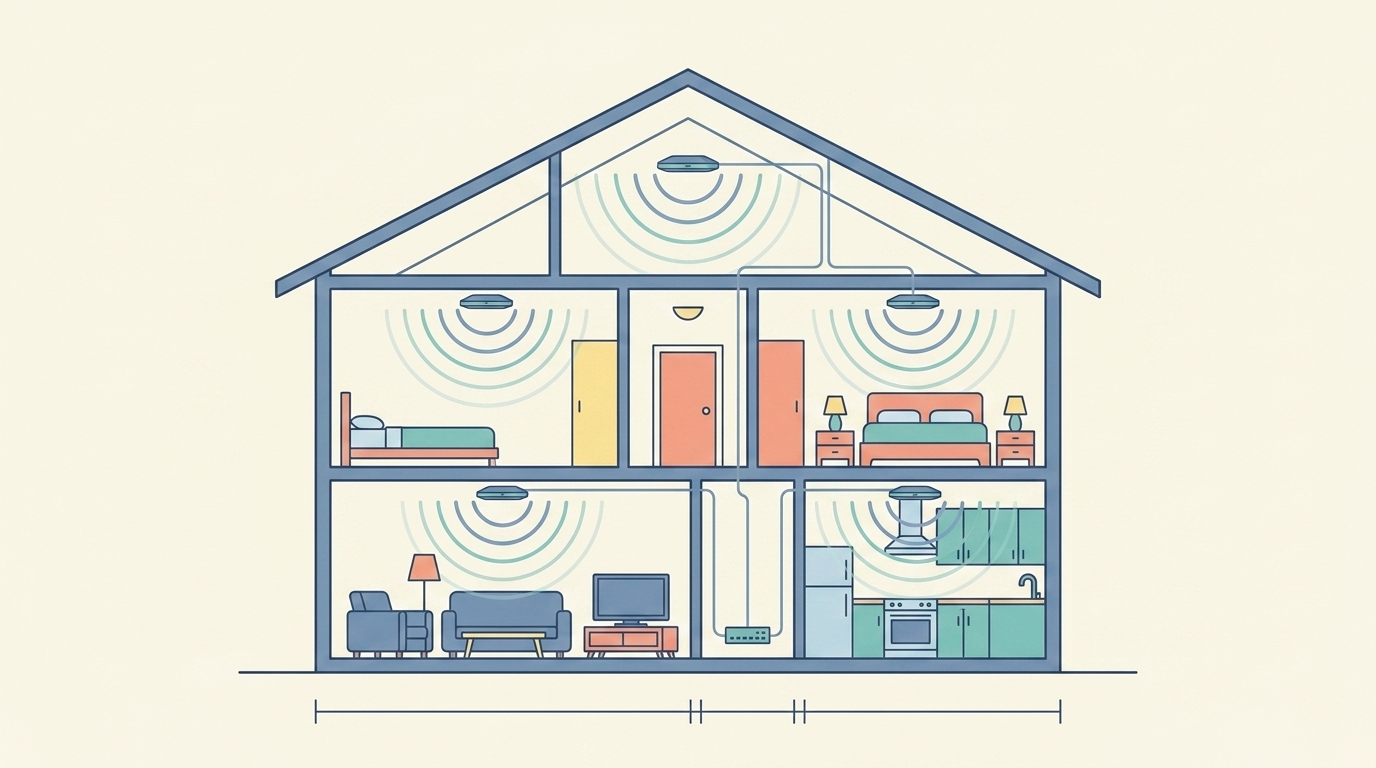
A properly designed UniFi installation eliminates that bottleneck entirely. Every access point is wired back to a central switch over Cat6. There is no wireless backhaul, no bandwidth penalty, and no nodes competing with each other for airtime. Each AP is placed based on your actual floor plan, wall materials, and usage zones, not wherever the power outlet happened to be convenient.
The difference is not subtle. It is the gap between a consumer product and a designed system.
- Nodes talk over WiFi (wireless backhaul)
- Each wireless hop roughly halves bandwidth
- Nodes compete with each other for airtime
- Placed wherever a power outlet is convenient
- Every AP wired back over Cat6
- No backhaul, no bandwidth penalty
- No airtime competition between APs
- Placed by floor plan and wall materials
New construction vs. retrofit: does timing affect cost?
Yes, meaningfully. Pre-wiring during construction is the most cost-effective approach because walls are open. Running Cat6 before drywall goes up is fast, clean, and leaves no visible damage.
Retrofitting a finished home requires routing cable through walls, attics, and crawl spaces, which takes more time and skill. It is entirely achievable, and we do it regularly across Austin, but it adds labor compared to a new-build installation.
If you are building a custom home in the Austin area and the framing is still up, that is the right time to call. The network backbone you put in during construction is the one you will have for the next twenty years.
Austin-specific factors worth knowing
Austin's new construction market has pushed a lot of tract homes and custom builds without a structured network backbone. Builders wire for the ISP drop, not for a distributed WiFi system. That means most homes in areas like Round Rock, Cedar Park, Lakeway, and Dripping Springs were delivered without the infrastructure a modern household actually needs.
Hill Country properties add a layer of complexity. Larger lots, detached structures, outdoor entertainment areas, and concrete or stone construction all affect how a network is designed and what it costs to deploy.
Greater Austin is the geographic scope. Whether the property is inside Austin proper or in the surrounding Hill Country communities, the same approach applies.
Is it worth it?
The answer depends on what you use your network for.
If your household has one or two light users, a retail router might be enough. If you have remote workers, a home office, streaming on multiple screens, smart home systems, security cameras, or you simply cannot tolerate dead zones in any corner of your house, a properly built network pays for itself in consistency alone.
The math is straightforward. A professionally installed system at $5,200 amortized over ten years is $520 per year, or roughly $43 per month. That is less than most cable bills, and it eliminates the frustration, the rebooting, and the dead zones permanently.
What ongoing support costs
Installation is a one-time cost. Ongoing network management is optional, but it is worth understanding.
WizardPrime+ managed service plans start at $99 per month and include 24/7 monitoring, firmware and security updates, priority support, and ISP outage detection. The mid-tier Guardian plan at $199 per month adds quarterly network health reports, same-day remote response, and 25% off service calls. Elite at $299 per month covers monthly reports, a free on-site optimization visit each year, and a 4-hour emergency response SLA.
These plans are available after a WiFi Wizards installation and are month-to-month with no long-term contract required.
The bottom line
Whole-home WiFi installation in Austin starts at $2.10 per square foot for a complete, professionally designed and supported system. The final number depends on your square footage, layout, and site complexity.
The more useful question is not what it costs but what you are comparing it to. A network built right, once, by someone who does nothing else is a very different product from a mesh kit or a contractor who wires networks as a side task.
If you want to know what your property would cost specifically, the only reliable answer is a site-based quote.
Need this implemented in your space? We design and deploy stable, high-performance networks for homes and businesses across Greater Austin.